I was speaking with a few teachers this weekend and found out that though they are enthusiastic supporters of EnglishCentral, they didn’t know that they could embed EC videos on their moodle and get students practicing the videos right there!
Yes, it is that simple. Put them on a class wiki or your blog. Teachers won’t get use of our Teacher Tools or be able to track student progress / get reports without signing up as a teacher (do so here in the Academic Use area). However, your students can speak the videos as much as they want – and that’s the point, practice.
It’s easy to embed the videos. Just go to the video detail page and click the embed icon. Grab the code and put into your page as html. Then students simply click and study the video lessons.
Here’s how the video detail page looks and here is an example video lesson. Click it and start studying!
Today, EnglishCentral released the first version of their Pronunciation and Vocabulary courses. They’ll be making some changes and additions as they go along but what they have right now is just “out of this world” and a great leap forward in how students can both gain clear pronunciation and build academic vocabulary quickly.
Tailored to the students L1, they allow students to review the major challenges they face regarding pronunciation. The language is presented through highly contextualized video context. To work on specific sounds, students may purchase individual sound units for practice. Demo the Free Course /I/
Made to ensure students gain a lot of practice recycling the vocabulary item and learning it in highly contextualized video segments – students first study each word in the patented speech recognition player. After studying in the player, students take a quiz of all the words in the unit. See all the courses available but more are forthcoming. Students can study the whole AWL and get prepared for study at an English university. Demo the Free Starter Course
Interested in using EnglishCentral and our patented “Teacher Tools” LMS with your students this semester? Please take a look at our Academic Pricing and contact me. I’ll offer a full tour and can address any questions you may have.
I wear many teaching hats. Besides my courses at the university teaching education & schooling and tending to EFL Classroom 2.0 and my own online school, most of my waking hours are spent working with video for language teaching through EnglishCentral. I’m keen and bullish on this approach to learning/teaching a language – authentic video where there is both input/output, in context vocabulary study and constant feedback for the students and teachers. Come join the video teaching revolution!
It’s not official yet but given my role, I am able to give readers a small preview of our release of courses next week – timed for TESOL 2012 in Philadelphia which I’ll be attending. We’ll be launching many great courses with more to come weekly. They’ll be in many categories:
Business | Academic | Media | Social | Travel | Young Learners
Included will be ESP video content from Garnet Education and sensational video courses from Nat. Geographic.
I can’t let the cat out of the bag and we’ll have an official post on the EnglishCentral blog soon. However, note that they are a multimedia online textbook. Students study the units by watching and speaking the video and studying the vocabulary in quizzes and in the video itself. The units are designed to reflect a week’s study and teachers can add individual videos for study, to complement the professionally curated courses. Teachers can add courses to their class page for students to study – just like they presently add topics on EnglishCentral.
Look for the launch post on the EnglishCentral blog. We are excited, I’m excited. We are bringing something to the fore that we think is intuitive and will appeal to schools and teachers. Here’s an example of the preview page for a course, with how the course looks in a class page.
I like the term “tech”books. I’ve been busy the last couple of years creating lots of free books for teachers, books meant to bypass the clutter of the textbook vultures out there. Kind of born of my angst against how textbook culture (and it is a culture, so many are so deep into it, so “hooked”, like culture they can’t even see so), how textbook culture addicts teachers/schools and more seriously, de-trains teachers from actually teaching language in a personal, direct and “human” fashion. Time we all withdraw from this drug and low/no cost techbooks are the answer. Direct, simple and what teachers need – meant to supplement their teaching not suppress their teaching and make teaching into,”exercise 1, exercise 2, now class, turn the page and read”. OMG!
I’ve finally collected all the EnglishCentral techbooks I’ve produced, on one handy page. Take a look and just print and use with students along with the video. You can sign up as a teacher, make a class page of these videos and use the videos there with your students (and get reports, track students).
The normal delivery is
1. Ask some video theme specific discussion questions 2. Play the video, repeat as necessary. 3. Play parts, pause and have students repeat. 4. Students role play the video 5. Students complete the techbook vocabulary exercises. 6. Students go to EnglishCentral and study further, speaking the video etc…
But the point is, the teacher is in control. These are low/no cost, there is no huge pressure to use to the nth degree. They are used as will benefit the learners and the teacher.
I’ve previously blogged about the “Hitler Reacts” series of remixes. It’s a great activity for students and I finally got to making my own video remix, about textbooks. Here it is.
Thoughts welcomed and I’ll comment more later and relate more about how I feel about textbooks. Get a glimpse of how I feel in these tagged posts. Enjoy!
Listening is a very under taught skill by almost every teacher. It really should be a focus and is such an important part of language learning. I’ve written a popular post offering a lot of suggestions on how to do this – however I can’t think of anything easier than using EnglishCentral‘s “hidden challenge” function.
With the new player (it isn’t out yet, you are getting a sneak peak!), you can make a listening cloze easily and simply. The words and blanks are very clear. Play several times and students write down the words missing. (the teacher should just copy and paste the transcript from the main video detail page to get the answers). Check afterwards by deselecting the hidden challenge from the top of the player.
That’s it, simple as pie and with the great variety of videos on EnglishCentral, an instant lesson and sure to be instant hit with your students. They can even “speak” the videos afterwards. Either at home or at school.
This week, EnglishCentral released their “Listen In” feature. Now, not only can students “speak” youtube videos, teachers can also listen in and provide assessment and feedback to their students.
I’m not going to outline how to access this. Just register as a teacher, sign up students and then find this on your Teacher Tools reports page. Go here – EnglishCentral has already described it in detail. However, I do think this is just “crazy” and I’d like to outline how teachers might use this feature in their teaching. I can suggest 3 main ways.
1. As a way of verifying that students are actually practicing and doing their assignments. Lets face it, part of the difficulty about online learning is the “accountability problem”. Too often with tech, teachers won’t use it because they think students can scam the system and are just playing computer games while online. The listen in feature provides both teachers and students with accountability – between themselves and too other stakeholders like parents and school administrators. So I think schools and teachers will love this feature.
2. As part of an assignment. Production is crucial for language development (Swain 2004). As an end product, the “listen in” feature allows teachers to assign a video and provide feedback to the student on their speech, as part of the assignment. It makes it a complete learning cycle.
3. Assessment, pure and simple. This comes immediately to mind as the crucial way the tool can be used. It can be both a formative (ongoing) or summative tool. Even use it as a way of leveling students (but not exclusively) at the beginning of your school year. Or sit one on one with students and review their speech, their errors, along with understanding of the video. Their speech is highlighted with feedback “marks” for both teacher and student to see.
This beta feature will only get better. Along with the new pronunciation reports that immediately tell you how your students are doing and where they need help – this just makes EnglishCentral even more cutting edge than it already was.
In ending, all I can say is “This is Crrrrrrrrraaaaaaaaazy”.
{ I originally published this in Barbara Sakamoto’s wonderful blog – Teaching Village. I revive it here because I think its message is pertinent and important. }
“The problem with our profession is that there is too much teaching and not enough learning”.
I said this recently during a discussion and I think it is such an important point to understand about “teaching” a language – that we have to get away from delivery systems that are teacher directed and more towards models where students are self-paced, self-motivated and learning independently. The future IS learning not teaching.
English Language Teaching has been progressing towards an understanding of this. CLT (communicative language teaching), PBI (project based instruction), TBI (task based instruction), collaborative learning and other approaches have made big inroads into traditional teaching models. But they’ve been baby steps. The emperor still believes he / she wears clothes and won’t “give up the ghost” and stop swinging the baton. It IS all and too much, about control.
I’m not going to belabor the point nor expound on my own beliefs about why self directed learning is the future of language instruction and learning (given the access to curriculum technology gives us). No. Let me be down to earth and simply describe my “perfect classroom”. This will give you an idea of what I mean by SDL – self directed learning and giving students increasing choice and independence over what and how they will learn. My Perfect Classroom. It looks like this.
The class starts without any teacher talk nor any teachn’ and preachn’. Students walk into the classroom, sign in and head towards their assigned computer. They glance at the whiteboard for the assignment of the day.
The students work with a headset to produce language, finish projects, practice vocabulary word banks using quizzes/flashcards. The activities are leveled and self-paced. Low level students work with the right content – higher level students can challenge themselves. They help each other through English only chat or directly in the class. They are the experts.
The teacher sits in the middle, coffee and tea at hand. With a ring of the bell – she calls for a group to come meet. The teacher practices conversation with the students, using the target language and grammar for the week. She tests the students on the language they’ve been learning. He assesses their needs in a small group and gets valuable feedback about the activities. After 5-10 minutes, it is time for the next group.
The last 15 minutes of class, students get the choice to work on a variety of online activities. Games, songs, blogging, chatting, watching videos – all accessible as provided by the teacher.
The class doesn’t really end. The teacher flicks the lights and the students log off and walk out of the class. They can go online anytime and do the same activities and access the same content. The teacher can download a nice handy log with graphs of student progress and especially time spent on task/activity.
The teacher feels refreshed. He gets another cup of coffee. She skips into the staff room among her weary colleagues.
——————–
That’s my perfect classroom. However, it actually did happen and I actually did teach like that! It isn’t pie in the sky. Moreover, it all worked like that described. The trouble-making boys became engrossed learners. The unmotivated high level students became engaged and ignited. I, the teacher, felt invigorated after a day teaching, not weighed down and kaput. It was like Sugata Mitra recently quipped, “When the students are motivated, the learning just happens.”
But we all can do similar things and take steps towards getting to true self directed learning. It isn’t so difficult and in fact it is what YOU as a teacher are doing right now, right this minute.
It can begin with the simple step of deciding it should be so…..
Let’s hear your stories and struggles to be a SDL teacher. We can all learn from them.
The last few years, I’ve been very focused on the role and possibility of video in the classroom. Thus, my recent work developing EnglishCentral and my focus on the potential of a “Flipped Classroom“.
I had an interesting skype discussion with Dan Soriano (@danhummsoriano ) at the BC in Mexico City. He’s thinking of adopting a Flipped Classroom model as an experiment. During our discussion I returned to a term I’ve used over the years, “Extensive Watching“. I’d like to outline this important concept for language learning here and get your own feedback, opinion, thoughts.
I’m a big fan of extensive reading. It works. If done properly, it allows students to acquire a lot of fluency quickly (so long as equal attention is paid to speaking). However, the rub these days is that many students don’t want to nor like reading. It’s just a fact that I’ve run across time and time again in the classroom. I think it has to do with;
a)Visuality being an ever present force and medium now – through the internet, TV, film etc…
b)Communication. Youth are so connected, never alone and a book entails the place and discipline to be alone with self. Today’s youth want shared experience, a social experience. A book is in their head, the images in their head – something is never shared. A film / video has an objective visual reference and is more shared/social.
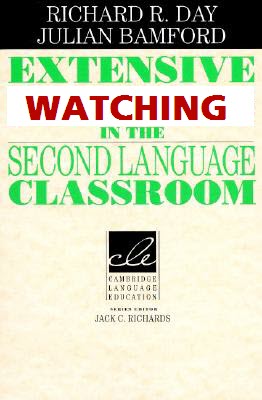
As I’ve outlined before, the Gutenburg Galaxy is waining. The role of text is taking a back up role to the cool medium that is the visual realm. This entails a change on the part of teachers. We should now update Day and Bamford’s classic and call it “Extensive Watching“. I took down the book from my self and revisited it. It can simply be re-written for this new media focus.
Students “watch” at their own level and through this massive watching of video with language in context, can, do, will achieve rapid language acquisition. That’s where EnglishCentral is coming from but it could be any source of video that is at the appropriate level for the student and contains motivating, interesting content.
I looked at pages 7-8 of the book, “The Characteristics of Extensive Reading”. I hereby end and hand the torch to Extensive Watching by rewriting this to outline the characteristics of extensive watching (and in a future post, I’ll outline the differences, however obvious, with the “extensive listening” approach).
The Characteristics of Extensive Watching
1. Students WATCH as much as possible. (preferably outside of the classroom – following the flipped model of the language classroom)
2. A variety of videos/film is available in a variety of genres and topics so as to encourage watching for different reasons and in different ways.
3. Students select what they want to watch and have the freedom to stop watching when the video fails to interest them.
4. The purposes of watching are related to pleasure, information and general understanding. The purposes are determined by the nature of the videos and the interests of the students.
5. Watching is its own reward. There are few exercises after watching and only for quickly reinforcing the material.
6. The videos are well within the linguistic competence (level) of the student. Video gives context and allows for a “wider” leveling. Dictionaries are used after the viewing and rarely during the watching of the video. Subtitles in the L2 may or may not be used depending on the objectives of the learning.
7. Watching is both shared and individual. Videos if possible, to be discussed and used as scaffolding material into purposeful communication and speaking practice.
8. Watching speed is at the natural rate of the media’s speakers. Whole watching is the recommended practice rather than stopping and reviewing video.
9. Teacher’s orient students to the goals of the program (communicate the rationale), explain the methodology (how to) and track what students watch, and guide students to get the most out of the program.
10. The teacher is a role model and watcher. They participate and watch what students watch. The extensive watching classroom is a place of equality and a decreased power dynamic between teacher and learner.
To wit: Extensive Watching works and fosters student self learning and monitoring. It also has the added benefit of having pragmatic features of language (body language, postures, gestures etc…) that help the learner immensely (think of how a baby “makes meaning out of sound”).
This continues the first post about forthcoming changes to EnglishCentral – the website that gets students motivated through authentic video and speaking.
EnglishCentral I must admit, is slowly becoming a powerful “video corpus”. Imagine taming the unruly thing that is youtube so that it might be easily used in class. Pull out any grammar term you are looking at in class and watch many examples of it. Or pull out a word and see it used in different contexts in different videos. Scour the billions of lines of speech in the corpus that is youtube and harness that for the betterment of your students (and also for some research – but students first!). I’m happy to admit, the changes in the next release of EnglishCentral bring us to the edge of this reality. Truly. (plus, unlike youtube – no ads!)
More of the changes coming very, very soon on EnglishCentral.
1. Search will become more powerful. Pull up a “video wordlist” and see words used in video context. So don’t just search for a topic or the word in a video but pull up that word (from the 70,000 + now in our video library, word list). Note how you get different video lists depending on the function of that word. You can show students examples in not only different contexts but also of different usage (noun, verb, modifier etc…). Another vocab. change – we now use a headword system. So a word on EnglishCentral is only what we’d call a “head” and the mother of other uses. Soon too, you’ll be able to pull up functions, grammar points, idioms and more….
Note how you get different video lists depending on the function of that word. You can show students examples in not only different contexts but also of different usage (noun, verb, modifier etc…).
Another vocab. change – we now use a headword system. So a word on EnglishCentral is only what we’d call a “head” and the mother of other uses. Soon too, you’ll be able to pull up functions, grammar points, idioms and more….
2. Favorite a video and bookmark it for later “eating”. A great tool. Just click the star on the video and it’ll be in your My English page library! Coming soon – teachers will get this ability – to add on the fly, videos to their classes video curriculum assignments.
3. Get access to all content, no matter your membership level. Yes, that’s right! We’ll always let you sample premium content and have an open ended sampling model. Try it out, get a limited amount and see if you’ll benefit from it!
We are working hard to make EnglishCentral into a place where technology meets practicality. Where video is harnessed and controlled for the benefit of language learners and especially teachers/researchers. This summer we are sweating away in order to make this a reality. We are truly in Star Trek country, the final frontier.
As an “insider”, I’m privy to a little of what is going on at EnglishCentral. The team has really been working overtime and coming up with some fantastic changes that will be in a new release.
Here’s my insider’s sneak preview!
I hope you like the new look and changes. Please comment and let us know your thoughts about this or other things you think EnglishCentral should do. This summer we are working overtime to prepare for September and the school year. Working overtime to get EnglishCentral teacher ready.
Important Changes
1. The player will give students “fluency” feedback as well as that on pronunciation. Meaning, your students will also get scored at their ability to match the length of utterance and pause of the original video. If they don’t say the word(s) at the correct time, a pause icon will show and indicate this. This is one step towards building a complete prosodic model by which to assess student speech. (forthcoming – tone/pitch/stress/power).
2. A simplified interface. Take a look – every page is less busy and easier to use and find what you need. In WATCH, simply click the sidebar and go any category. Drop down menus take you to the videos you want, instantly.
3. Unified Difficulty Level. Meaning, you’ll self select your level based on internationally recognized standards or the EC levels. When you use EnglishCentral, you’ll only get videos and vocabulary at your preselected levels. We’ll track your progress as you climb through the levels. Level 7 is the vocabulary beyond 8,000+ words and represents an addition 25,000 words of study!
Tomorrow, I’ll detail some more delicious changes you’ll love!
Note one thing. The teacher tools will remain the same BUT they will get an overhaul later this summer. They’ll be sleak, easy and work like a charm. We are working overtime on them!
My work over the years has brought me into thinking heavily about the role of video in language instruction. Even more so now with my work with EnglishCentral. I’m a big fan of video and have been from the get go. I saw its power as a university T.A. – tramping around the campus showing heavy “reels” of film to mesmerized classes. I wouldn’t go so far as Chris Anderson of TED who says we are in the midst of something as transformative as the Gutenberg revolution. But I will say, as a language teacher, it feels so! The world is now in our classroom!
We are using print less and the course book will take a less central role in the years to come. We are in a McCluhanesque way, returning to the older form through the newer media (one of his laws of media). Our brains are hard wired for pictures, the visual and language learning will benefit from this gigantic shift in the way humans learn (by video as opposed to books). I had a great chat with Vicki Hollett about this and she agreed, things will be changing. Video is the way forward. For a more learned read on the text / video debate – try The Gutenberg Elegies by Sven Birkerts
I’ll be speaking more about this at the Reform Symposium conference next month. Talking about the Flipped curriculum and how video is so important to this delivery method.
So I sat down and wrote some tips for using video in the classroom. Here it is. Comments appreciated, I’ll be refining this as I go along.
Video is a powerful tool in today’s classroom. It provides strong context through which to teach English. Meaning comes alive and it brings the outside world into the classroom and gives your teaching “reality”. Video also provides all the paralinguistic features of language that audio only can’t.
Nowadays, students are very much visual learners. Further, with the quick spread of broadband internet access, the use of video in the classroom is much more reliable. Video is a medium which is replacing print – it is changing both the way we learn and the way we interact with each other.
Without a doubt, video is the future for all of us involved in education. Gone are the days where it took a high degree of technical know how and hours of set up to bring video into the classroom. Now the classroom is wired and connected. It’s an exciting time to be both a teacher and a student. The world is our classroom.
1. Keep the Video Short (2-4 minutes)
- attention spans are limited when watching visual content. Chunk up and divide up videos with focused activities.
2. Watch the whole video first.
- students need to “have a try” first and watch to get the “big picture”. This provides students with the chance to deal with the “ambiguity” of language. Give students one simple task while watching the whole video – to keep them focused.
3. Always preview the video.
- Be sure to watch the whole video yourself before using it in class. You never know what content might be inappropriate or hurtful to your students. You, the teacher, know your students best. Best to be safe!
4. Make it available outside the classroom.
- provide students with a webpage or link so they can watch the video and practice outside of classroom time. Many students learn better independently and this is a great opportunity to foster student independence.
5. Use videos your students want.
- this may seem obvious but many teachers forget to survey their students and show video content they definitely know their students will be “into”. However, use your best judgement and find a balance between videos that highly motivate and those that are strongly educational. Many times you can do both!
In the flipped classroom, students study and learn independently (in groups or individually). The teacher sets up the content and learning environment and then consults with students as they learn the video content. Students could learn on a webpage/lab (for example EnglishCentral) and the teacher could use class time to review their progress, check and evaluate. Also consult with the students to make sure they are on task. Teachers set up the curriculum and show students how to access the video content. In a nutshell, a teacher becomes a facilitator. Teachers might also use print materials made specifically for the videos (like these EnglishCentral example books).
2. Blending video into the existing curriculum and course.
This option allows a teacher to choose video content that compliments the objectives of their course. Videos are chosen for each unit and they are used in conjunction with a course book. Thus, the teacher is blending the learning – combining traditional print (textbooks) with the power of video. Videos are blended into and part of the official course curriculum.
3. Using video as a supplement for engagement or re-inforcement.
Here, videos are used only at the beginning of a lesson (to provide context and prompt student schema/background knowledge) or as supplemental material for the lesson (either inclass or as homework). The teacher brings in video that will supplement the existing course curriculum and provide context and reinforce the learning objectives. However, the videos are not part of the official curriculum.
How To Use Video
Videos can be used in many ways other than just one student at a computer. They should also be used as a “shared experience” and an in class teaching aide. Teachers should play video in the classroom and share it, as you would a book or any print item.
Don’t be afraid to pause, rewind, fast forward the video. Use it as a tool for reference of language and study points. Think of the video as a malleable material, like any other classroom material for learning.
Generally video activities are divided into 3 main types or stages:
1. Pre-viewing. Activities done before watching the video. They help prompt student schema and background knowledge. Often a way for the teacher to assess student knowledge and interest.
2. Viewing: Students have a task while watching the video. They perform tasks and activities during the video, either with or without the teacher pausing the video.
3. Post Viewing: After watching the video, the students practice the language forms and vocabulary encountered in the video. Students might discuss, retell, roleplay or complete exercises during this stage.
Here are a list of practical ways to use EnglishCentral videos in class. Try some and find what works best with your own students and for your own teaching situation. Good luck! Your students will love it!
10 Recipes For Using Video In The Classroom
1. Discuss It. Give students some previewing questions for the topic of the video. Students discuss and prompt their background knowledge. Watch the video. Now, discuss again using some prepared questions. Surveys are a great addition also.
_____________
2. Just Do It. Students are given a viewing task. This can be some questions to answer. It can be a group of vocabulary items to find or some language to listen for. You might even make this interactive – give students some different tasks (ie. different vocabulary) and when they see/hear it, they stand up. Again, they sit down. Last one standing at the end wins!
______________
3. Describe It. Always a fun activity but make sure to get your students to speak in a low voice. One student watches while others describe the action. Pause the video from time to time to allow students time to describe fully. Switch the student who is listening. Make sure to watch the ending of the video together.
______________
4. Report It. Students are reporters. List the 5 Ws on the board. After watching the video, the students must answer the 5 W questions. This also can be an excellent writing lesson. Also, get students making up their own post viewing questions and quizzing each other!
______________
5. Listen For It. A teacher favorite. Teachers prepare a cloze version of the transcript (words are missing). Students listen for the words. Watch the video again, pausing and checking the answers together. Another option is to provide students with a graphic organizer or chart. They watch the video and fill in the categories.
______________
6. Repeat It. A very interactive way to focus on pronunciation and form. Turn off any subtitles. Pause the video after a line and have the students repeat the line. If the video is a dialogue, assign different roles for students. Challenge the students to repeat the lines by only listening to the video, not watching. Also practice the present perfect tense (has/have just) by pausing the video and asking students, “What has just happened?”
______________
7. Re-tell It. A very powerful way to acquire language. Students in small groups re-tell the story or the action of the video. One student starts and others must continue to re-tell by adding a sentence. Perfect for practicing transitions (First, Next, Then, Finally). Re-ordering activities are also great. Students are given sentences or pictures and must put them back in the right sequence while re-telling the story. Perfect practice for the past tense.
______________
8. Revise It. Students love to “change up” the video. Students can role play the video and add their own twist, create their own version. Commercials work well for this. Also, write their own version, changing characters. For lower level students, prepare a transcript with words missing – students can add their own words to personalize.
______________
9. Predict It. Prediction is a great language prompt and can be used with any video. Simply pause the video at a point and ask the students, “What do you think will happen next?” Students discuss and give their own answers. Provide a prompt for the students like
I (don’t) think that ___________ (won’t) will ____________________.
Lastly, continue the video and see if the predictions were correct.
______________
10. Teach It. Videos offer a great opportunity for specific language study. Choose a video that highlights and reinforces your lesson objective(s) (for culture, topics, functions, vocabulary or grammar points). Pause the video and use it to explain the language points. It provides real life context and examples of usage. Prepare worksheets and exercises to practice your language points. Here’s an example
Part of my job as a materials developer and consultant involves thinking through the role, purpose and process of combining online and offline learning. How do you link what physically happens in the class with what is possible online? Where are the borders? How to facilitate the transition and support of these two media?
It’s a big topic and today by way of illustration, just want to provide an example.
I’m really convinced that online websites and applications need to “bridge”. By that I mean that they need to facilitate access and use of their own tools / functionality by way of traditional media. In most cases, that means using a book to “translate” what they do. My course book We Teach | We Learn is an example but let me be clearer. Here’s what I mean. Your opinion of this, much appreciated.
I’ve written 3 books recently, real physical books you can either print out or order as a physical book. Teachers can use them in class. They have a minimum of complexity and detail on purpose. Each lesson rolls out the same. They are meant to transition and “bridge” the classroom and EnglishCentral, the online English language learning platform.
I think this approach allows teachers and learners to have a “core”, a very traditional and understood core around which to enter into “technology”. All learning needs a “place” and the online experience has challenges providing this. Further, people are still in an old “paradigm” and until that changes, we need to communicate in traditional forms, the power of the new forms.
Below, is the EnglishCentral video – that students can watch and “speak”. Also, do online video quizzes with. Also, the matching lesson from the book (Commercials for Learning English). The book lessons are designed with 3 principles in mind.
1. Can be used by a teacher in class or an independent learner.
2. The transcript can be used for both listening purposes AND personalization of the content by substitution of words/language.
3. The book has a pdf version and access to the online material (video/quiz) can be got immediately.
Let me know what you think about this approach (and it isn’t that radical, it is just a more “tight” version of what a lot of teachers and materials developers are doing presently). The books (Level 1, Famous Speeches, Commercials) are in beta and and available to EFL Classroom supporters or individual purchase.
I’ve been doing lots of work with EnglishCentral – helping them develop strong teacher tools and support. Slow but sure! (and if you have used EnglishCentral as a teacher – fill out our survey and get an incredible coursebook for your few minutes of time!)
Here, I outline some tips for using EnglishCentral as a teacher. These tips though, could pertain to using any website for teaching English (that has an LMS – learning management system). Here they are in brief;
1. Blend the curriculum.
Books are great and have their own strengths for teaching English. However, technology offers its own advantages. Why not mix the two? Look at your book’s syllabus and units. Figure out what the key topics and grammar are and then look at the website and choose what content would support and extend those objectives. For EnglishCentral it is easy – we have handy topic categories and leveled videos that allow teachers to assign videos to their class.
2. Make it Official
I pound the pulpit often about this. So often, I’ve got emails from teachers lamenting the fact that they were so excited about using a webtool and spending a lot of their own time (and dime) building stuff for students. Then, hardly any students use it! What a let down. Don’t go this route if you can avoid it. Contact and work with your admin, curriculum staff, lead teachers and insist that the technology side of things is official and part of the total course mark. You’ll see a dramatic turn around in student use!
3. Set Goals, Set Deadlines.
This is an appendum to the above. Students should have goals to reach and deadlines to meet. That’s life and a little discipline will help most students with their English study. It can be as simple as “watch 4 videos each week”. In fact, keep the goals simple and communicate them with a rubric if possible. Even better, set the goals as a “team” and negotiate them with students. You’ll have a better response.
4. Use Website Support Materials.
In the case of EnglishCentral, we have our own growing library of books that support the website curriculum. Most comprehensive learning websites do and they are usually well designed and invaluable for teachers. Also, quite often FREE. They give you more for your buck and enrich your course. Also, great for summer / winter camps or extra courses – where you have more flexibility with the curriculum.
There you go – a few tips. I’m sure others have more. Please comment and add yours!
Thanks to Aaron and all the hard working Kotesol organizers for really pushing the envelope by skyping me in and starting to use this type of professional development!
I’ve made a very beta coursebook for beginning level learners. It uses a set of EnglishCentral videos which the students can then use for practicing their speaking using their state of the art speech recognition technology. Teachers can use the videos in class, along with the book.
The exercises are very simple. One – personalizing and then performing the dialogue. In this way, the students put in their own content/meaning and are more motivated than through pure repetition. Two – a simple exercise to use the word bank from the dialog. Students can do the video quizzes for the vocab. on EnglishCentral.
Click on the photos to go to the appropriate EnglishCentral video. Or find them all in one handy place on EFL Classroom 2.0.
Comments about this coursebook, its design, methodology and “future” are appreciated.
EnglishCentral, a site where student can practice “speaking” English using authentic videos and “hip” content – just got better.
I’ve been working closely with the EnglishCentral team and you can expect more developments along the lines of sharing and social media. Also, being able to search and use this powerful “video corpus”. You’ll be able to search for “idioms” or any other language term and pull up loads of video examples. It’s powerful and exciting.
The two recent changes that I think will really help teachers are:
1. You can now embed their videos and use them on your school page / site!
2. The Hidden Challenge. Take away words and use as a listening cloze.
See a couple screenshots of each below. Also, note that you can easily just copy any transcript to the right of the video and then paste into a word document for printing and use in class! And of course, EnglishCentral continues to build up their teacher tools into a regular LMS (learning management system).
Enjoy using EnglishCentral with your students. A site with a perfect balance of CI (comprehensible input) and CO (comprehensible output).
I am writing today about something I STRONGLY feel. Not stepping on anyone’s toes in particular but forgive my own passion in advance. Today, I’d like to publicly advocate my detest with textbooks and in particular, the gross deficit of thought, creativity, respect for learners, price gouging, addiction and lack of reality that most, if not all, are stamped with.
I’ve been around the block.
I’ll say it again, I’ve been around the block. I’ve used most kinds of textbooks and I’ve even participated in the making of my fair share. I teach curriculum development courses and know a thing or two about learners and language, syllabi and silly byes. With this experience I think comes a certain need for leadership and especially cheerleading teachers to wean themselves away from bad practices (like the use of a textbook) if at all possible.
I’m not against a book.
I’ll say it again. I’m not against a book. Books are wonderful things. You can take ‘em anywhere almost, you can get them wet, drop them down a rabbit hole, read them in the toilet or tram. They are a revelation and all teachers should use books in abundance. Teach a love of books and you’ve done more than just teach English. You’ve touched eternity.
No, I’m not against books – just textbooks. I don’t care which way you rub it, how you rub against it — at the end of the day, no teacher or learner salivates in remembrance of fond passages or fascinating facts from “their old textbook”. The textbook is forgotten. Why? Because no matter how you sugar coat it – they aren’t REAL, they aren’t created by “authors” in love with their work (I’m ready for the debate on this – let’s go!!!). They are mere pay as you go, proverbial pin points on a map to nowhere….. They don’t touch the soul, they don’t shine nor may I say – get to the heart of what language learning is, “connecting like to like”.
I’ll skip over the fact that they horribly de-train teachers and create dependence (not to mention the dependence of learners too). That’s another subject.
So where to now?
Well, in my courses I always emphasize how curriculum should be build upon reality. The student’s reality. Best if it comes from the student – their choice of books, interests etc…. I also mention how if I had my druthers, I’d teach any level of learner by using and designing materials around “The Guinness Book of World Records”. As wonderful a text as they come. See the attached article below for a nice description of how it can be used as a teaching material. Despite the price, it could be used for the whole of a student’s English learning and is also available FREE online. Also, maybe send students to URDB to do activities and set their own world record!
Kieran Egan’s recent plenary got me again thinking about this “amazing ” book. He mentions it and the puzzling fact that so little attention in TESOL is devoted to the passion of young learners to “collect” and piece together the world through an interest in the esoteric and extreme. Why hasn’t this book — so well known and with such intrinsic motivation, been used as an authentic text “book”? I’m putting out a call to arms and hoping against hope that someone will step up and help me get a leveled syllabus created. It would sell like hotcakes, I’m more than sure.
Not only could you teach every possible language element and function – you could also get students participating in their own dreams and passions. You could inspire – which is the end of all teaching and all books (and which our English textbooks NEVER do). I know its power. You see, I set several Guinness World records and had the privilege of visiting schools and speaking with students about my record. I even made a worksheet from one of the magazine articles, which I used with students! I saw how student’s eyes lit up, how engaged they were – all by this magical notion of “the possible”. Why would we ever let our students sleep in a textbook’s soft keep – knowing the dreams and revelry possible in the magical Guinness Book of World Records???????
Think about all I’ve said. I’m not asking for any textbook burning parties nor making any fantastic “dogme” / nazi nor manifesto like statements. But I’d just like earnest, hard working, passionate educators to think more, think more about how we might be subversive and upend the use of the textbook in our schools – quietly, like the best of all revolutions. Let’s set a record! Click the logo below to see an inspirational slide show of many more records!