I was speaking with a few teachers this weekend and found out that though they are enthusiastic supporters of EnglishCentral, they didn’t know that they could embed EC videos on their moodle and get students practicing the videos right there!
Yes, it is that simple. Put them on a class wiki or your blog. Teachers won’t get use of our Teacher Tools or be able to track student progress / get reports without signing up as a teacher (do so here in the Academic Use area). However, your students can speak the videos as much as they want – and that’s the point, practice.
It’s easy to embed the videos. Just go to the video detail page and click the embed icon. Grab the code and put into your page as html. Then students simply click and study the video lessons.
Here’s how the video detail page looks and here is an example video lesson. Click it and start studying!
I am a big believer in using video in our classrooms – bringing rich context and “the real” into the artificial laboratory that is our classroom.
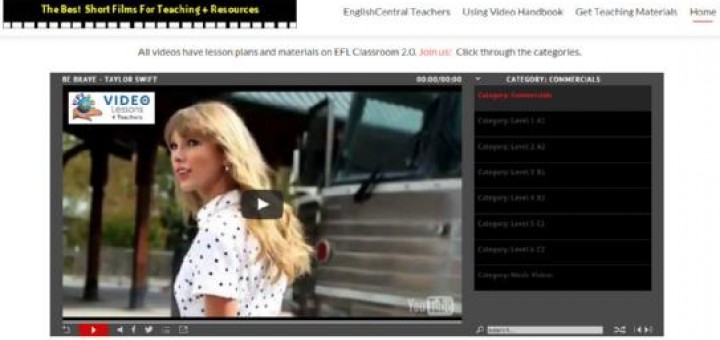
We have thousands of teacher recommended, curated videos on EFL Classroom 2.0. All specific to teaching English. A marvelous resource for our profession. But I always get asked – What are the best videos? While this depends a lot upon your teaching environment, I’ve finally put up an interactive presentation that makes it easy to find what I think are the real gems for teaching. This compliments a previous Top 100 list you’ll find linked on that page.
Enjoy these wonderful videos. Share with friends and colleagues. Comment and tell us how you use them in class. Would love to know what other videos you’d like on this “Recommended” list.
I’ve previously blogged about the “Hitler Reacts” series of remixes. It’s a great activity for students and I finally got to making my own video remix, about textbooks. Here it is.
Thoughts welcomed and I’ll comment more later and relate more about how I feel about textbooks. Get a glimpse of how I feel in these tagged posts. Enjoy!
The whole world is the English Language Teacher’s oyster. Nowadays, with the proliferation of technologies and especially the internet – we don’t have to use the staid old materials of “usually” dried up, old white men who write textbooks and run up publisher’s expense accounts. Nosirree. There are great authentic materials everywhere which we can harness, control and use for presenting great classroom material, all with little effort. “Ecrasez l’infame” said Voltaire, “Down with the infamy”. Same applies here, we don’t need experts anymore – the textbook emperors have no clothes.
Here’s one simple example of the power of video that can be brought right to the classroom and used effectively as a language teaching aid. HP Computers – Getting Personal: You On You contest videos. [see all my other players full of great material for the classroom - HERE]
People from all over the world uploaded “headless” videos of themselves. Here’s an example. I have a full player of the best for the classroom HERE. These videos are absolutely brilliant and I specifically chose one of the worst to highlight how even these are great for teaching.
It’s easy to use these videos. Simple play one a few times and allow students to record the information about the contestant. Use this nice badge/card (made at the wonderful Big Huge Labs). After, play again and take up the info. pausing the video as you go.
Here’s my answer to the example video!
Another great activity is to just let the students watch and then guess which are the top 3. (the first three in the player were the winners )
If you really want to do something amazing – get your students to make their own You On You videos. Have your own contest! Getting students to be the authors of their own language learning materials (what I call SCC or Student Created Content) is the be all and end all of language teaching.
Books will always be with us and like poetry, will be valued more as they become less… They are personal and secret things – therein lies their power.
I’m busy writing another one, always busy with “the word”. Today, looking at my book shelves and feeling good that I have my books together in one place. Been traveling the world for a lot of years and they sat in boxes so long.
I say this by way of introducing this wonderful video – The Diary Of A Disappointed Book. It makes for a simple but powerful lesson. Students write down the months of the year and then must note what happened to the book each month. Do this as a writing exercise or just pause the video and speak about what happened each month. Any way you look at it – this video is a gem. Especially for us bibliophiles.
Video Rulz! However for teachers, youtube can be problematic in the classroom. Too many distractions, too many ads. The students are busy looking at all the other stuff and not focusing on the main video.
I’ve made a player that helps immensely. Drawing on youtube’s API, you even get higher quality and more reliably streamed video than the site proper. I just got frustrated using many of the “safe” options out there. Many sites went under (like Clean Tube), some just added their own advertising and spam (Teacher Tube).
The whole month of December, I’ll be highlighting here content/ideas/material that I feel is in need of some “daylight”. There is so much of value and it just needs members to open a window so others can see it/find it.
I’ve previously blogged about the “power of prediction” for language teaching and prompting student language production. Very much along the lines of guessing games. Here’s another stellar way – What’s Next?
They are videos that show a scene. The teacher pauses the video and asks the students to say what will happen next. This can either be by offering some possible outcomes (A, B, C, D) or asking students to use their own thoughts (write down some “gambits” for prompting student language – “I think….. is / age going to ….” | “… is are possibly going to …” | “… might ……” etc ).
This week, EnglishCentral released their “Listen In” feature. Now, not only can students “speak” youtube videos, teachers can also listen in and provide assessment and feedback to their students.
I’m not going to outline how to access this. Just register as a teacher, sign up students and then find this on your Teacher Tools reports page. Go here – EnglishCentral has already described it in detail. However, I do think this is just “crazy” and I’d like to outline how teachers might use this feature in their teaching. I can suggest 3 main ways.
1. As a way of verifying that students are actually practicing and doing their assignments. Lets face it, part of the difficulty about online learning is the “accountability problem”. Too often with tech, teachers won’t use it because they think students can scam the system and are just playing computer games while online. The listen in feature provides both teachers and students with accountability – between themselves and too other stakeholders like parents and school administrators. So I think schools and teachers will love this feature.
2. As part of an assignment. Production is crucial for language development (Swain 2004). As an end product, the “listen in” feature allows teachers to assign a video and provide feedback to the student on their speech, as part of the assignment. It makes it a complete learning cycle.
3. Assessment, pure and simple. This comes immediately to mind as the crucial way the tool can be used. It can be both a formative (ongoing) or summative tool. Even use it as a way of leveling students (but not exclusively) at the beginning of your school year. Or sit one on one with students and review their speech, their errors, along with understanding of the video. Their speech is highlighted with feedback “marks” for both teacher and student to see.
This beta feature will only get better. Along with the new pronunciation reports that immediately tell you how your students are doing and where they need help – this just makes EnglishCentral even more cutting edge than it already was.
In ending, all I can say is “This is Crrrrrrrrraaaaaaaaazy”.
This presentation has always been a fav. of teachers. Here, I add a voiceover and summarizing some of the main points (ever so quickly). Click on the presention to listen and use the slideshow underneath to go to resources highlighting each point (by clicking on the photos). Additionally, the “song” tag gives post gives with more information about using song in our classrooms.
The last few years, I’ve been very focused on the role and possibility of video in the classroom. Thus, my recent work developing EnglishCentral and my focus on the potential of a “Flipped Classroom“.
I had an interesting skype discussion with Dan Soriano (@danhummsoriano ) at the BC in Mexico City. He’s thinking of adopting a Flipped Classroom model as an experiment. During our discussion I returned to a term I’ve used over the years, “Extensive Watching“. I’d like to outline this important concept for language learning here and get your own feedback, opinion, thoughts.
I’m a big fan of extensive reading. It works. If done properly, it allows students to acquire a lot of fluency quickly (so long as equal attention is paid to speaking). However, the rub these days is that many students don’t want to nor like reading. It’s just a fact that I’ve run across time and time again in the classroom. I think it has to do with;
a)Visuality being an ever present force and medium now – through the internet, TV, film etc…
b)Communication. Youth are so connected, never alone and a book entails the place and discipline to be alone with self. Today’s youth want shared experience, a social experience. A book is in their head, the images in their head – something is never shared. A film / video has an objective visual reference and is more shared/social.
As I’ve outlined before, the Gutenburg Galaxy is waining. The role of text is taking a back up role to the cool medium that is the visual realm. This entails a change on the part of teachers. We should now update Day and Bamford’s classic and call it “Extensive Watching“. I took down the book from my self and revisited it. It can simply be re-written for this new media focus.
Students “watch” at their own level and through this massive watching of video with language in context, can, do, will achieve rapid language acquisition. That’s where EnglishCentral is coming from but it could be any source of video that is at the appropriate level for the student and contains motivating, interesting content.
I looked at pages 7-8 of the book, “The Characteristics of Extensive Reading”. I hereby end and hand the torch to Extensive Watching by rewriting this to outline the characteristics of extensive watching (and in a future post, I’ll outline the differences, however obvious, with the “extensive listening” approach).
The Characteristics of Extensive Watching
1. Students WATCH as much as possible. (preferably outside of the classroom – following the flipped model of the language classroom)
2. A variety of videos/film is available in a variety of genres and topics so as to encourage watching for different reasons and in different ways.
3. Students select what they want to watch and have the freedom to stop watching when the video fails to interest them.
4. The purposes of watching are related to pleasure, information and general understanding. The purposes are determined by the nature of the videos and the interests of the students.
5. Watching is its own reward. There are few exercises after watching and only for quickly reinforcing the material.
6. The videos are well within the linguistic competence (level) of the student. Video gives context and allows for a “wider” leveling. Dictionaries are used after the viewing and rarely during the watching of the video. Subtitles in the L2 may or may not be used depending on the objectives of the learning.
7. Watching is both shared and individual. Videos if possible, to be discussed and used as scaffolding material into purposeful communication and speaking practice.
8. Watching speed is at the natural rate of the media’s speakers. Whole watching is the recommended practice rather than stopping and reviewing video.
9. Teacher’s orient students to the goals of the program (communicate the rationale), explain the methodology (how to) and track what students watch, and guide students to get the most out of the program.
10. The teacher is a role model and watcher. They participate and watch what students watch. The extensive watching classroom is a place of equality and a decreased power dynamic between teacher and learner.
To wit: Extensive Watching works and fosters student self learning and monitoring. It also has the added benefit of having pragmatic features of language (body language, postures, gestures etc…) that help the learner immensely (think of how a baby “makes meaning out of sound”).
I remain firmly convinced, based on years in the classroom and the research out there, that language learners older than 4-5 are “disabled” learners. They are “special needs” students, there isn’t enough processing power, the brain easily gets overwhelmed, the learner can’t attend to two things at once (form and meaning). See my article for more background on this. In particular the findings of Dinklage and his study of Harvard language students.
Teachers need to borrow from the practices, techniques and beliefs of special educators. We also can do more to borrow from the technology that benefits the disabled and helps them communicate. There is a lot of crossover. Many training programs have new teachers experience the frustrations of learning another language – I’d go further, let them experience things like the teachers in this video and truly walk in their student’s shoes.
I know of no other video that speaks in volumes to the practicalities of teaching than Rich Lavoie’s How Difficult Can This Be: “Frustration, Anxiety, Tension” workshop. Ignore the 80s hair, ignore the insecure giggling – he shows us some fundamental principles that will benefit all language teachers. This video had a big impact on me, I know it will on you. Go here for a few more parts of the workshop.
Here’s the first part (can’t show the whole thing due to copyright).
My work over the years has brought me into thinking heavily about the role of video in language instruction. Even more so now with my work with EnglishCentral. I’m a big fan of video and have been from the get go. I saw its power as a university T.A. – tramping around the campus showing heavy “reels” of film to mesmerized classes. I wouldn’t go so far as Chris Anderson of TED who says we are in the midst of something as transformative as the Gutenberg revolution. But I will say, as a language teacher, it feels so! The world is now in our classroom!
We are using print less and the course book will take a less central role in the years to come. We are in a McCluhanesque way, returning to the older form through the newer media (one of his laws of media). Our brains are hard wired for pictures, the visual and language learning will benefit from this gigantic shift in the way humans learn (by video as opposed to books). I had a great chat with Vicki Hollett about this and she agreed, things will be changing. Video is the way forward. For a more learned read on the text / video debate – try The Gutenberg Elegies by Sven Birkerts
I’ll be speaking more about this at the Reform Symposium conference next month. Talking about the Flipped curriculum and how video is so important to this delivery method.
So I sat down and wrote some tips for using video in the classroom. Here it is. Comments appreciated, I’ll be refining this as I go along.
Video is a powerful tool in today’s classroom. It provides strong context through which to teach English. Meaning comes alive and it brings the outside world into the classroom and gives your teaching “reality”. Video also provides all the paralinguistic features of language that audio only can’t.
Nowadays, students are very much visual learners. Further, with the quick spread of broadband internet access, the use of video in the classroom is much more reliable. Video is a medium which is replacing print – it is changing both the way we learn and the way we interact with each other.
Without a doubt, video is the future for all of us involved in education. Gone are the days where it took a high degree of technical know how and hours of set up to bring video into the classroom. Now the classroom is wired and connected. It’s an exciting time to be both a teacher and a student. The world is our classroom.
1. Keep the Video Short (2-4 minutes)
- attention spans are limited when watching visual content. Chunk up and divide up videos with focused activities.
2. Watch the whole video first.
- students need to “have a try” first and watch to get the “big picture”. This provides students with the chance to deal with the “ambiguity” of language. Give students one simple task while watching the whole video – to keep them focused.
3. Always preview the video.
- Be sure to watch the whole video yourself before using it in class. You never know what content might be inappropriate or hurtful to your students. You, the teacher, know your students best. Best to be safe!
4. Make it available outside the classroom.
- provide students with a webpage or link so they can watch the video and practice outside of classroom time. Many students learn better independently and this is a great opportunity to foster student independence.
5. Use videos your students want.
- this may seem obvious but many teachers forget to survey their students and show video content they definitely know their students will be “into”. However, use your best judgement and find a balance between videos that highly motivate and those that are strongly educational. Many times you can do both!
In the flipped classroom, students study and learn independently (in groups or individually). The teacher sets up the content and learning environment and then consults with students as they learn the video content. Students could learn on a webpage/lab (for example EnglishCentral) and the teacher could use class time to review their progress, check and evaluate. Also consult with the students to make sure they are on task. Teachers set up the curriculum and show students how to access the video content. In a nutshell, a teacher becomes a facilitator. Teachers might also use print materials made specifically for the videos (like these EnglishCentral example books).
2. Blending video into the existing curriculum and course.
This option allows a teacher to choose video content that compliments the objectives of their course. Videos are chosen for each unit and they are used in conjunction with a course book. Thus, the teacher is blending the learning – combining traditional print (textbooks) with the power of video. Videos are blended into and part of the official course curriculum.
3. Using video as a supplement for engagement or re-inforcement.
Here, videos are used only at the beginning of a lesson (to provide context and prompt student schema/background knowledge) or as supplemental material for the lesson (either inclass or as homework). The teacher brings in video that will supplement the existing course curriculum and provide context and reinforce the learning objectives. However, the videos are not part of the official curriculum.
How To Use Video
Videos can be used in many ways other than just one student at a computer. They should also be used as a “shared experience” and an in class teaching aide. Teachers should play video in the classroom and share it, as you would a book or any print item.
Don’t be afraid to pause, rewind, fast forward the video. Use it as a tool for reference of language and study points. Think of the video as a malleable material, like any other classroom material for learning.
Generally video activities are divided into 3 main types or stages:
1. Pre-viewing. Activities done before watching the video. They help prompt student schema and background knowledge. Often a way for the teacher to assess student knowledge and interest.
2. Viewing: Students have a task while watching the video. They perform tasks and activities during the video, either with or without the teacher pausing the video.
3. Post Viewing: After watching the video, the students practice the language forms and vocabulary encountered in the video. Students might discuss, retell, roleplay or complete exercises during this stage.
Here are a list of practical ways to use EnglishCentral videos in class. Try some and find what works best with your own students and for your own teaching situation. Good luck! Your students will love it!
10 Recipes For Using Video In The Classroom
1. Discuss It. Give students some previewing questions for the topic of the video. Students discuss and prompt their background knowledge. Watch the video. Now, discuss again using some prepared questions. Surveys are a great addition also.
_____________
2. Just Do It. Students are given a viewing task. This can be some questions to answer. It can be a group of vocabulary items to find or some language to listen for. You might even make this interactive – give students some different tasks (ie. different vocabulary) and when they see/hear it, they stand up. Again, they sit down. Last one standing at the end wins!
______________
3. Describe It. Always a fun activity but make sure to get your students to speak in a low voice. One student watches while others describe the action. Pause the video from time to time to allow students time to describe fully. Switch the student who is listening. Make sure to watch the ending of the video together.
______________
4. Report It. Students are reporters. List the 5 Ws on the board. After watching the video, the students must answer the 5 W questions. This also can be an excellent writing lesson. Also, get students making up their own post viewing questions and quizzing each other!
______________
5. Listen For It. A teacher favorite. Teachers prepare a cloze version of the transcript (words are missing). Students listen for the words. Watch the video again, pausing and checking the answers together. Another option is to provide students with a graphic organizer or chart. They watch the video and fill in the categories.
______________
6. Repeat It. A very interactive way to focus on pronunciation and form. Turn off any subtitles. Pause the video after a line and have the students repeat the line. If the video is a dialogue, assign different roles for students. Challenge the students to repeat the lines by only listening to the video, not watching. Also practice the present perfect tense (has/have just) by pausing the video and asking students, “What has just happened?”
______________
7. Re-tell It. A very powerful way to acquire language. Students in small groups re-tell the story or the action of the video. One student starts and others must continue to re-tell by adding a sentence. Perfect for practicing transitions (First, Next, Then, Finally). Re-ordering activities are also great. Students are given sentences or pictures and must put them back in the right sequence while re-telling the story. Perfect practice for the past tense.
______________
8. Revise It. Students love to “change up” the video. Students can role play the video and add their own twist, create their own version. Commercials work well for this. Also, write their own version, changing characters. For lower level students, prepare a transcript with words missing – students can add their own words to personalize.
______________
9. Predict It. Prediction is a great language prompt and can be used with any video. Simply pause the video at a point and ask the students, “What do you think will happen next?” Students discuss and give their own answers. Provide a prompt for the students like
I (don’t) think that ___________ (won’t) will ____________________.
Lastly, continue the video and see if the predictions were correct.
______________
10. Teach It. Videos offer a great opportunity for specific language study. Choose a video that highlights and reinforces your lesson objective(s) (for culture, topics, functions, vocabulary or grammar points). Pause the video and use it to explain the language points. It provides real life context and examples of usage. Prepare worksheets and exercises to practice your language points. Here’s an example
I started Project Peace 2 years ago. I’ve been amazed by the response and how other teachers have motivated their students and brought “peace” into their curriculum through song (and taught a lot of English!).
I will be doing more with the project this year and especially so now that we finally have “a home”. We’ve moved from our original Ning page to Grou.ps but now reside on EFL Classroom 2.0. I’ve made the change because now EFL Classroom 2.0 is fully public and also has new page making capability – so I can add the Peace Pack materials there. (and consider making your own classroom, school group etc… Groups now have great functionality + you get the content and security of EFL Classroom 2.0).
I hope many will grab a peace pack and make / share their own Project Peace video!
Here’s one of my favs, one of the first. Not using our cards – they went way out there!
Present.me is a real cool, “new” way to share your teaching online. It is simple and effective. I’ve been testing it out and it works like a charm! A really exciting tool.
What is it?
It is just a simple power point set beside a video recorded through your webcam. That’s it! Record up to 90 min free and save up to 10 lectures/lessons free. (and I’d just keep deleting as needed unless you really want to get into this). You don’t even need a cam, just use audio if you wish (though you’d be under utilizing it). The only one wrinkle I see is in not allowing private settings for free members. I think this shouldn’t be part of a pricing model.
The functionality is superb. Takes a little time for the power point to convert but you can use a clicker to advance the slides – this means you can get away from the monitor/computer and step back when recording the video.
I’ll be giving a a lecture at this weekend’s Kotesol National conference by skype. But I’ll be sure to record on Present.me for all who can’t attend. Still in beta – I can’t wait until it is “out there”. All sorts of great uses enabling teachers to reach a much wider audience and those students who can’t/couldn’t attend classes. Try it, you’ll like it. Just don’t be camera shy!
This is an example of a video made through “kinetic typography”, a graphics display that really brings subtitling to a new level. Here’s another (but very fast for classroom use – Abbott and Costello’s: Who’s on first?)
Text is highlighted and presented in ways that contextualize it. The word “jump” could literally jump. Pictures can be included and color is used for communicative effect. It brings language presentation to a whole different level.
I’m a big proponent of using video to contextualize language learning. However, one problem is that video over stimulates the learning and takes the emphasis off the language ( not always but often) . Students watch a pop music video but instead of learning the language through the subtitles – they are entraced by the lights and mini skirts.
KT and subtitled only video (see my own playlist of these) really help get around this and keep the focus on language, noticing language and transfering meaning. It is an astounding technique that will grow and grow as more people become adapt at making them.
They aren’t easy to make! I’ve been learning for the last few weeks and will publish one soon. If interested, here’s a tutorial for using Adobe Illustrator to make one.
Fortunately, there are lots of publicly available ones for use in your own classroom! I’ve compiled a whole player of some I consider really strong, powerful, for language learning. Check out the ones in our video player too – especially, Let the Drummer Kick.
To end – here’s one that I think is stellar. A great song and easy to follow the lyrics.
Youtube has had captioning for awhile but recently they have started an experimental beta to automate the process.
Here’s my introduction to this service. Very much encourage teachers to check it out and also let their students know about it. Can be helpful and as I note – I’m confident google will get it right sooner rather than later.
This video is the BOMB! It is captivating, absorbing, a story par excellence but also SILENT! Yes, silent films are great for getting students to produce language — and after all is said and done, that most often is the hardest thing to do, getting the students speaking and learning language by just communicating. That is our job, to get the students so absorbed in the communicative act that they forget they are learning. When we forget and are not consciously fixated on the language – we learn so much more! And silent , great silent movies do that so well.
So here are a few suggestions on how to use these with students. Also, a quick list of my absolute favorites in this regard….
Ways to use a silent video clip….
1. BACKDOOR — In pairs or small groups, one or more students view and describe to the other students who have their backs to the screen. Alternate every few minutes and circulate to give help with vocab (or just write it on the board as needed, students will see you and use to describe the action.
2. PREDICTION – Watch a small part and stop the video. Have students predict what will happen next.
3. VOCABULARY – depending on the theme of the video (for example in The Flat Life you can use action words and / or furniture) have students make lists of words and then use them to 4. RETELL the story/narrative up to that point.
4. DIALOGUE — Students watch and then re-enact the dialogue in the story. Add in a narrator if necessary. This is a great speaking/writing combined lesson. Get them even to use speech bubbles and draw cartoons of the story.
5. WRITING – Have students retell the story, rewrite the story – but with a different ending. First retell and use this as an engagement activity for some really creative writing! Make sure to do the most important part of the writing process – SHARING!
2. Mr. Bean videos. I love the Mr. Bean at the swimming pool! Perfect length and works like a charm. Stop at the end and get students to predict what will happen. Get them all in our Mr. Bean player! or more Mr. Bean resources here.
I made this “street scene” video for the One Day in the World project, held on 10.10.10. An effort to collect video and create a picture of the world on that day. It was a beautiful day in Vancouver and as I sat on Robson St. having a beer and listening to Yes, Nice play “across the street – I put my FLIP camera up and just recorded people as they came and went. Note how the lineup down the street keeps growing (they were attending the Vancouver Int. Film Festival).
I’ve talked a lot about using authentic materials in the classroom. It’s a “wonder” that technology brings about – it brings the real world, real English and culture into our classrooms around the globe.
But we need ideas to use it. We need teachers with strong abilities to lead students in discussion and comprehensible language – as they discuss the video and prompt. We need teachers with great materials development skills, making creative activities through which students can use the amazing context video provides.
What would you suggest for this video? That’s what I’d like to ask? Any ideas?
Here’s another one. I really love web cams. Students love the “live” aspect. Animals or street scene web cams offer amazing opportunity for discussion and language content. What ideas do you have for this? What’s worked for you when showing ordinary but authentic video – be it your own stuff captured over the weekend, your students videos or those found online? Any authentic ideas?
There are some great Youtube videos out there which are “interactive”. Meaning, students can watch the storyline and then are asked to make decisions and continue with the story. They really keep the students’ attention. A very strong prediction viewing type activity.
By far , the best IMHO is The Treasure Hunt – with Chad, Matt and Rob. Really interesting story for language learning (but suited for adults, young adults). Here’s another example – “choose a different ending“.
Let us know how your students liked these. You’ll need high bandwidth to stream this in class…. Also find here on EFL Classroom 2.0 – Guess the Ending videos.Here andHere.
It doesn’t have a lot of “flash” but it has an abundance of semi authentic materials with audio and extra vocabulary study. Excellent stuff that will interest students. Just choose a category and find audio / video and text. Students can return there after class for more practice. While the vocabulary study is just a mish mash of stuff, it does help. Note – this site is designed for adult learners.
I can see teachers copying the script and using this in class to design materials along with the great audio that supports it. You could even have students present an article every day and then design discussion activities for each.
A wonderful resource and along with USA Learns, the other American resource site for adult learners – makes me want to sing, “God Bless America”!